

Price Transparency Just Got a Lot Easier
If you’ve ever tried to understand a hospital’s full contracted rates with a payer, you know how tedious it can be.
Maybe you’re searching for a specific CPT code, like 99283 – Emergency Department Visit (low complexity), and nothing comes up. You’re left wondering whether the provider uses a different code, or if the contract omits the service entirely.
Now, you no longer have to guess.
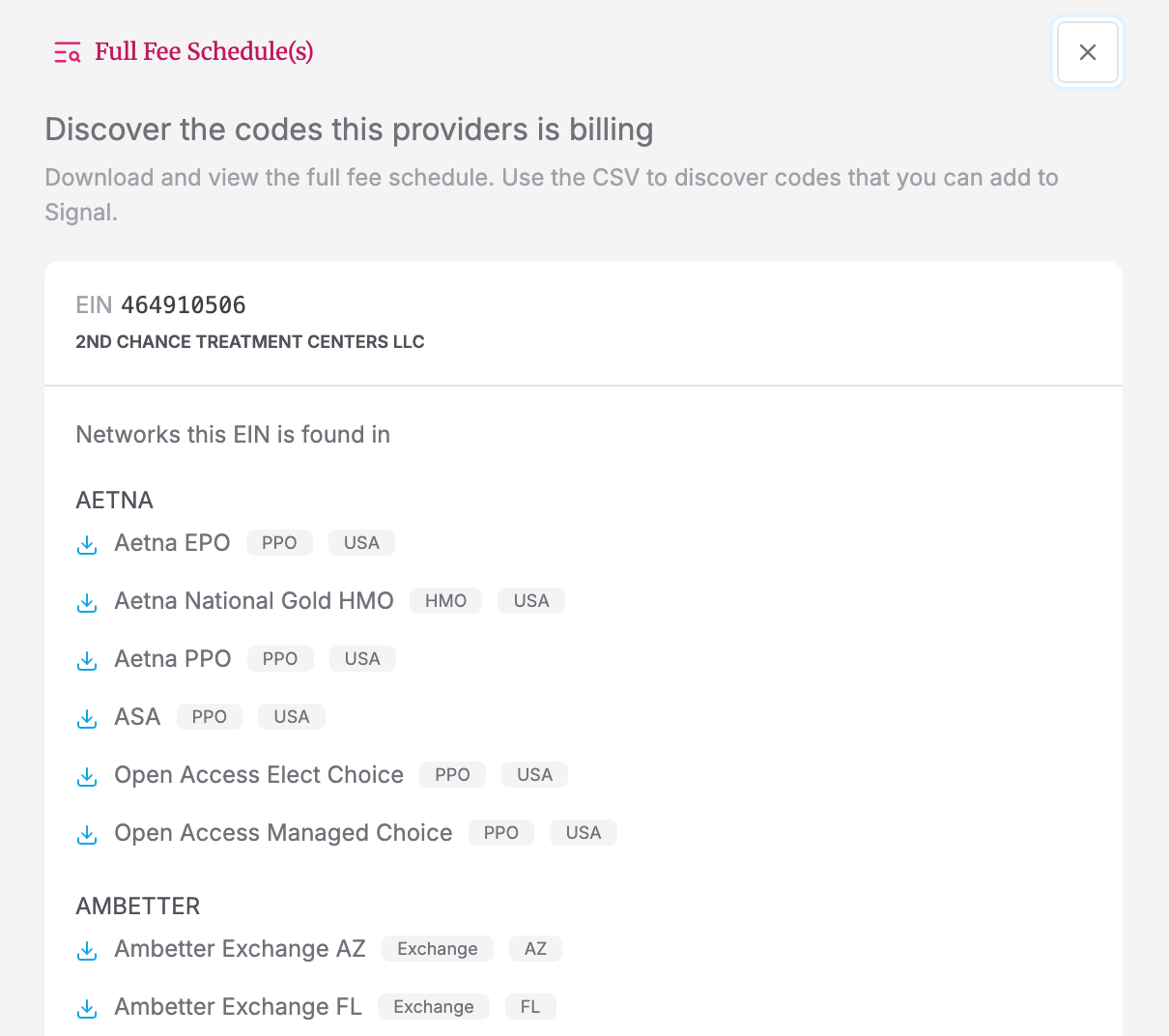
With Full Fee Schedule Lookup, you can instantly download every rate a provider has negotiated with a payer network—right from Signal.
What Is Fee Schedule Lookup?
Fee Schedule Lookup is a new feature built into Signal, Serif Health’s price transparency and benchmarking platform.
When a search returns no results (or even if it does), you can now click “Download Fee Schedule” to pull the complete set of contracted rates for any provider and payer combination.
The .csv file includes every billing code—so you can see exactly which codes a provider bills, and how they’re priced relative to Medicare or market norms.
Get Clarity, Quickly
Healthcare contracts are complex. Providers often use revenue codes, alternate CPTs, or carveouts that don’t appear in standard searches.
Full Fee Schedule Lookup lets you:
- Discover missing codes that might not appear in initial queries
- Identify reimbursement patterns across service lines or negotiation types
- Benchmark provider contracts more accurately against market and Medicare rates
It’s the fastest way to get from “no results found” to actionable insights.
Example: The Brooklyn Hospital Center
Suppose you’re looking for the emergency room visit rate for The Brooklyn Hospital Center with Cigna National OAP.
You search for code 99283—but no results appear.
With the new feature, you can simply download the full fee schedule for that EIN and payer network. In the exported file, you’ll see that the hospital actually uses Revenue Code 0450 for emergency visits.
Re-running that code in Signal instantly returns results. Problem solved.
How to Access Full Fee Schedules
You can launch Fee Schedule Lookup in two ways:
- When a Signal search returns no results, a pop-up will prompt you to download the full schedule.
- Or, go to the Providers search panel and click the red “Fee Schedule” button next to an EIN.
👉 See step-by-step instructions in our Help Center
More Transparency, Less Guesswork
With Full Fee Schedule Lookup, analysts, consultants, and network strategy teams can spend less time searching and more time uncovering insights.
It’s one more way Serif Health is making price transparency data not just accessible—but truly usable.
Stay tuned for more updates to Signal in the coming weeks and book a demo here.